In this article
1. What is the default visibility of projects created through Salesforce automation, and can it be changed?
Projects created through Salesforce automation have Team Members visibility by default.
This visibility cannot be changed through the Rocketlane user interface. However, it can be changed by making a custom request.
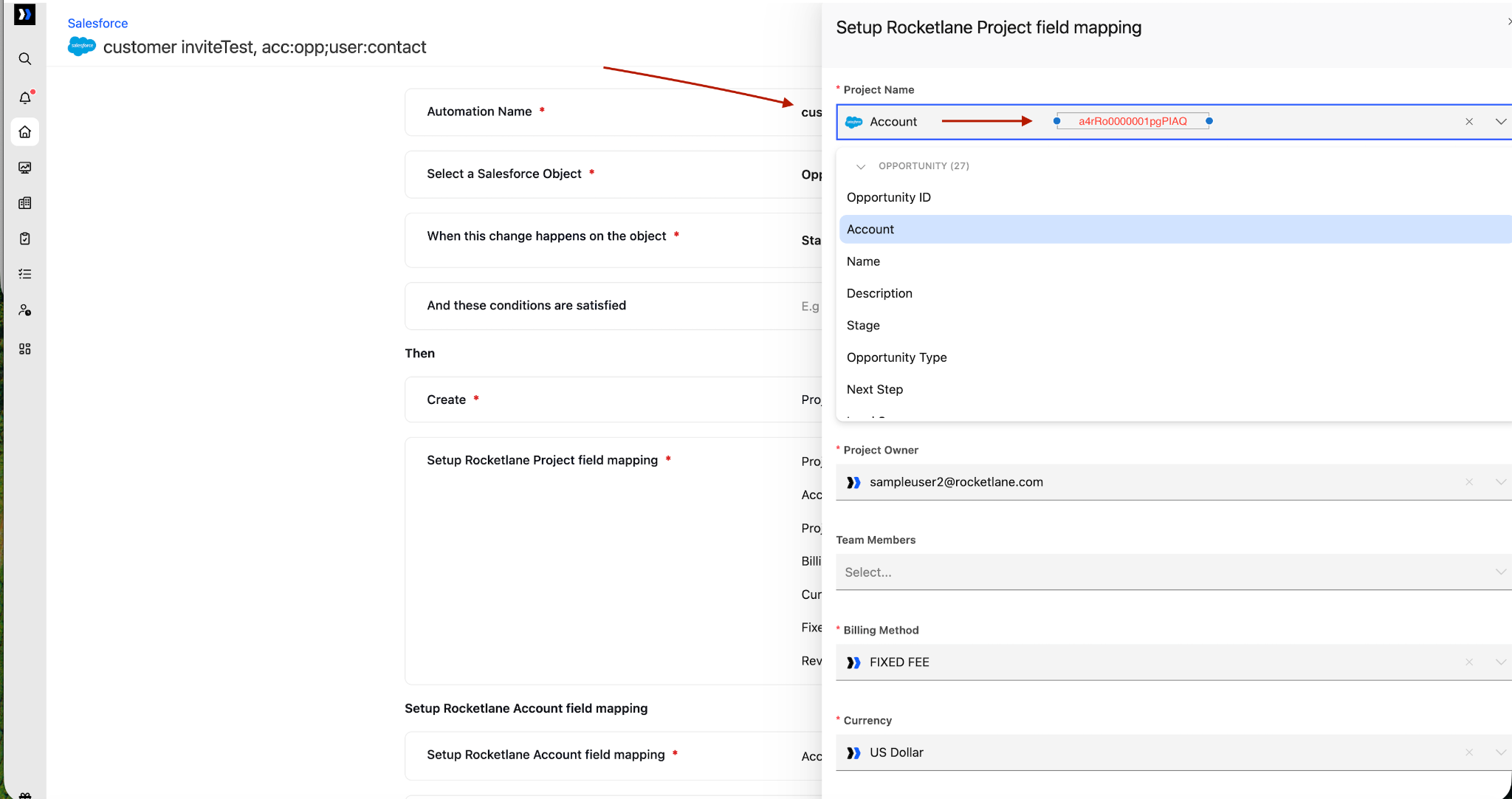
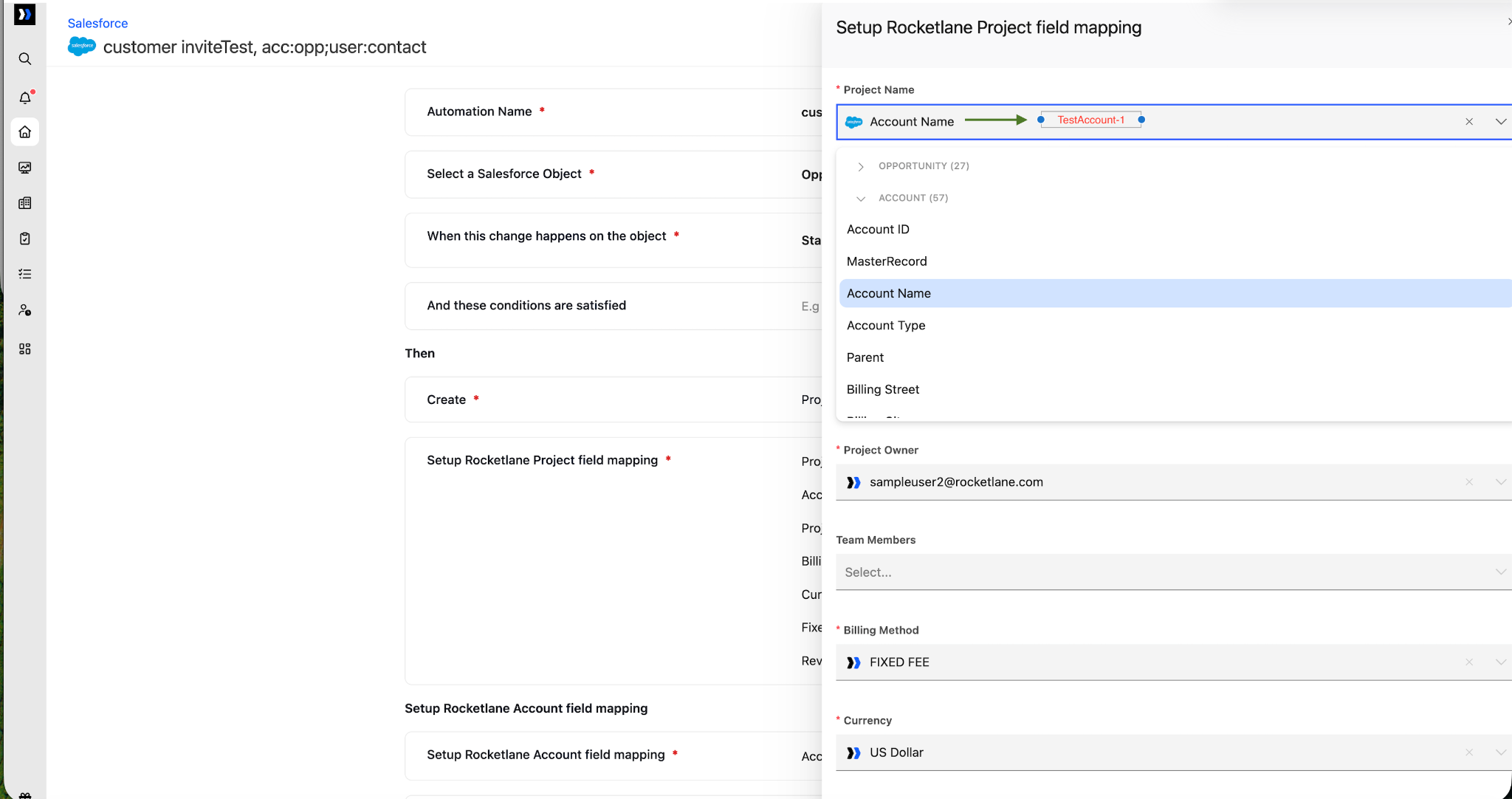
2. Why does selecting an Account or another object in the Project Create Field Configuration populate the field with a value such as a4rRo0000001pgPIAQ?
This value is the unique Salesforce record ID of the selected Account or object, rather than its display name.
To display the object’s name, map its specific Name field. For example, select Account > Account Name instead of selecting the base Account object.
3. What should I do if the connected Salesforce user needs to re-authenticate?
Do not disconnect and reconnect the integration.
Re-authentication can be completed by making a custom request without disconnecting the existing integration.
4. Will reconnecting the integration preserve existing automations and field syncs?
No. Reconnecting creates a new integration state. Existing automations and field sync settings will not be preserved.
This design prevents failures caused by:
- Salesforce organization changes: The Salesforce organization may change during reconnection. Fields available in the original organization may not exist in the newly connected organization.
- Permission discrepancies: The newly authenticated user may not have the same permissions as the previous user, which could cause existing field syncs and automations to fail.