Rocketlane’s Slack integration lets team members receive project-related notifications in Slack. With this integration, teams can stay updated on project activity, take quick actions from Slack, and maintain a dedicated Slack channel for each Rocketlane project.
Team members can use the Slack integration to:
- Receive real-time notifications for project updates.
- Take actions on projects from Slack, such as updating tasks and replying to conversations.
- Maintain a dedicated Slack channel for each Rocketlane project.
In this article
Connect your Slack account
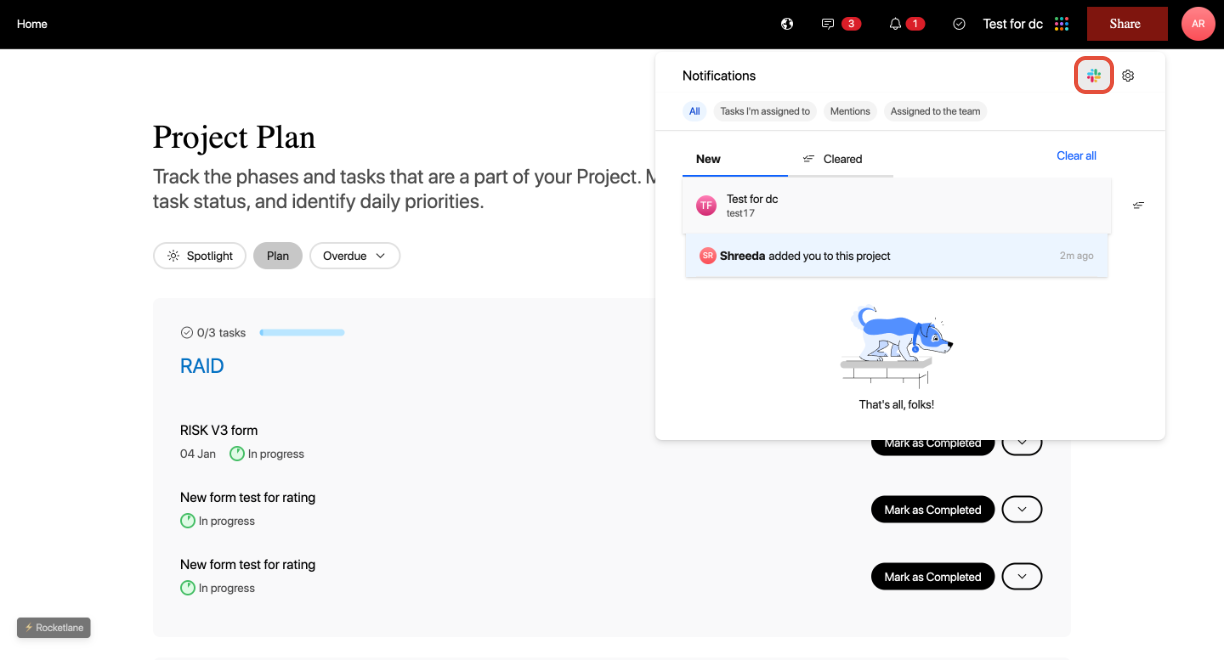
- In the Customer Portal, click the Notifications bell icon.
- Click the Slack icon from the notifications panel.
- On the new page, click Add to Slack. You will be redirected to the Slack login page.

- Log in to your Slack account and authorize Rocketlane’s integration.
NoteOnce Slack is connected, you will receive Slack notifications when updates occur in projects your customers are involved in.