In this article
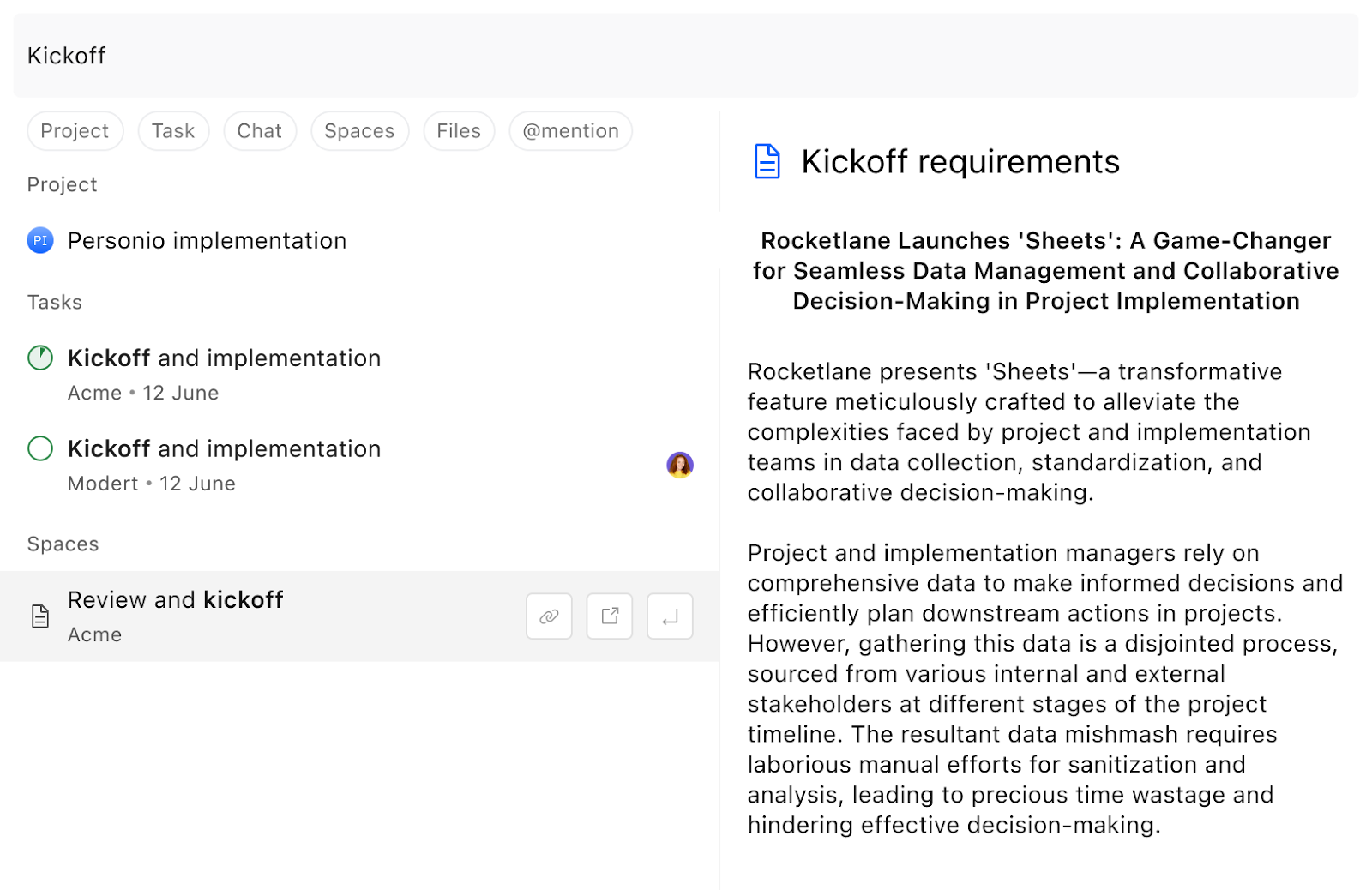
Global Search in Rocketlane is your go-to option to instantly find anything: tasks, projects, chats, files, or spaces, across your entire workspace. It’s designed to give you fast, contextual access to every item, no matter where it's located.
How to Trigger Global Search
You can launch the global search bar in two ways:
- Click the Search Icon from the top navigation bar

- Use the shortcut:
Ctrl + Kon Windows/Linux orCmd + Kon Mac.
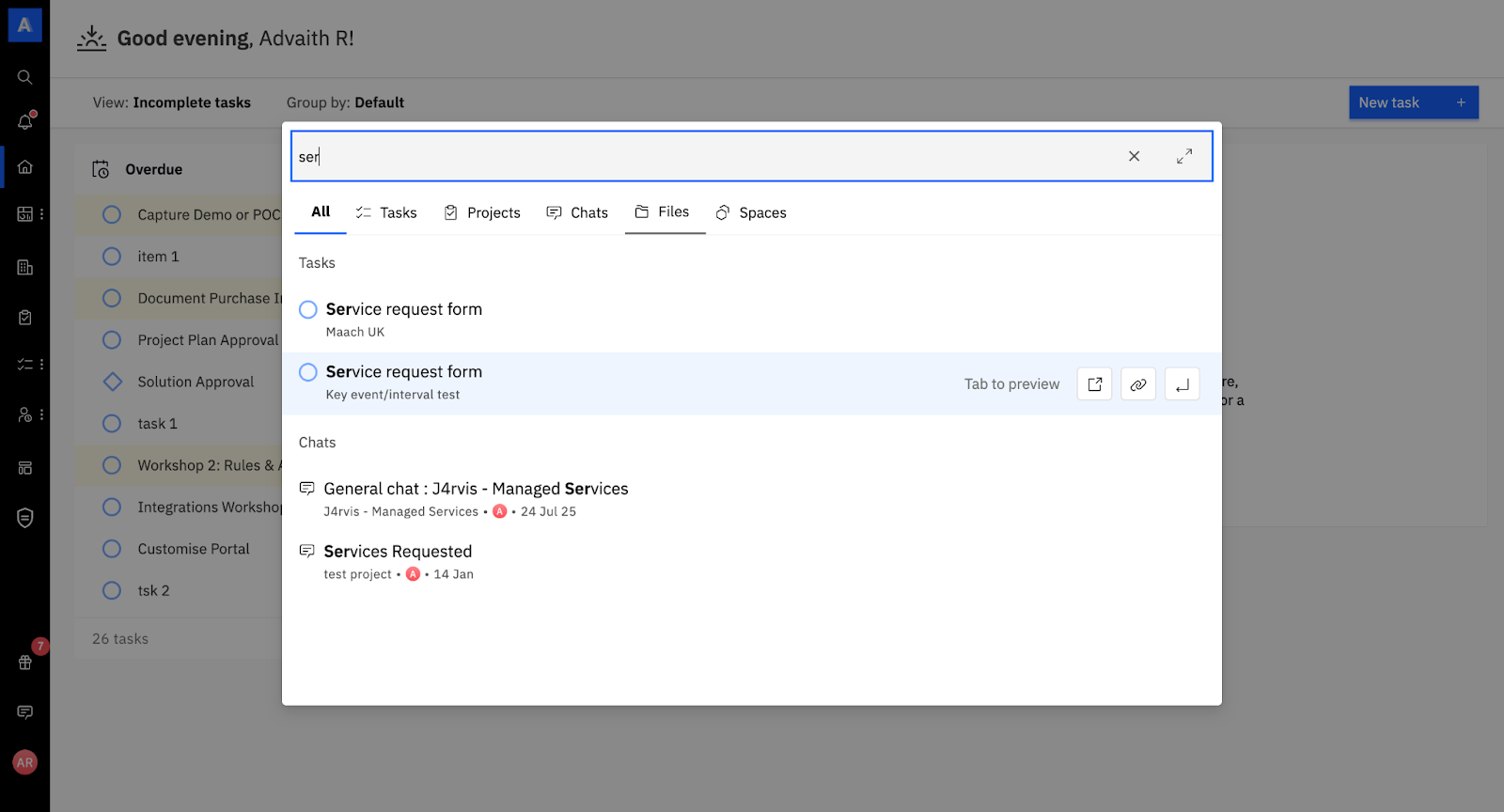
Once triggered, a universal search bar will appear at the center of your screen.
What You Can Search
Global Search scans your entire Rocketlane instance, including:
- Tasks
- Projects
- Chats
- Files
- Spaces
This means whether you're looking for a specific bug, a past conversation, a shared file, or a document in Spaces, you’ll find it here.
Filtering Your Results
To help you narrow down results, Rocketlane’s search allows you to filter by category or by object type.
Filter by Category
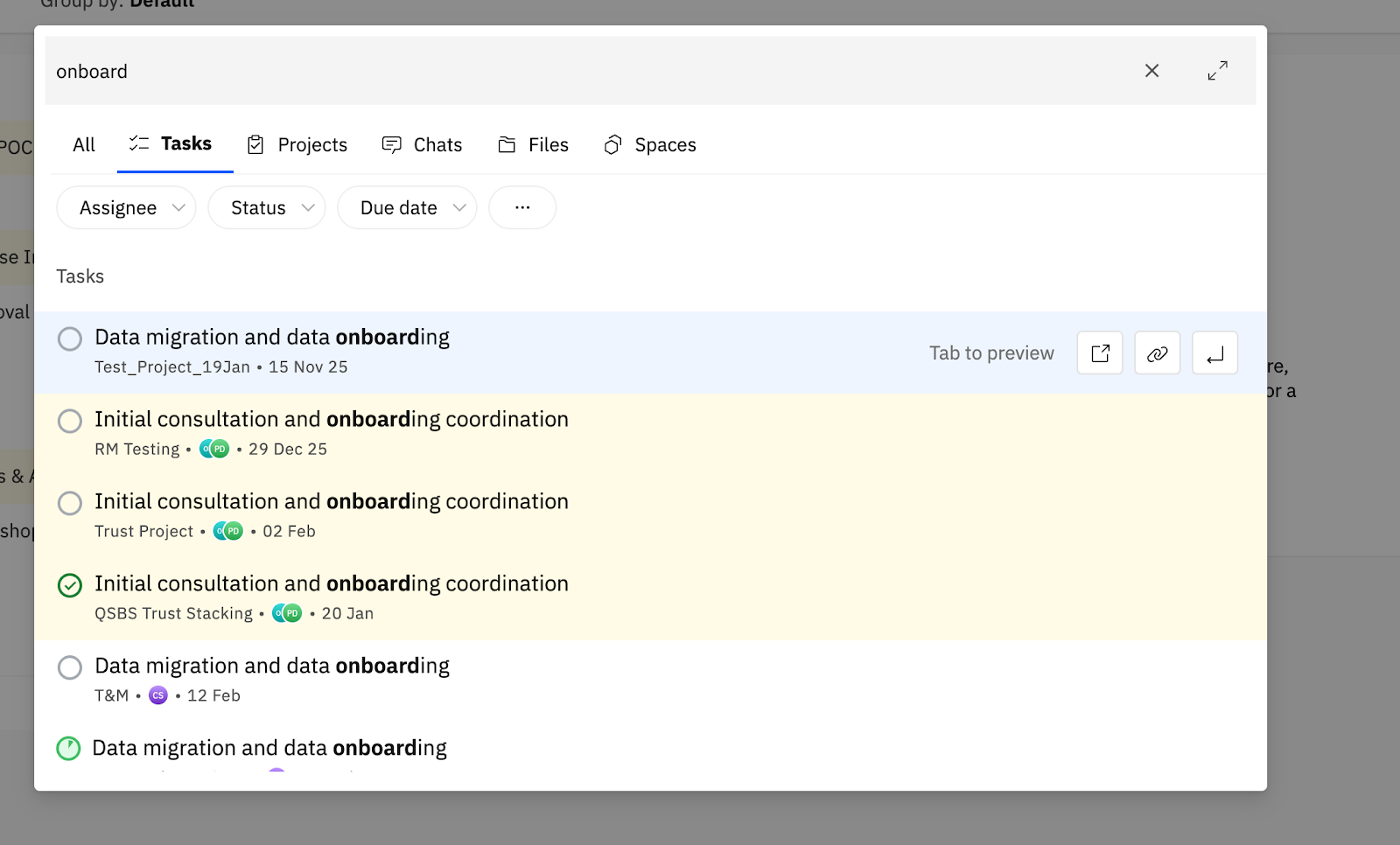
Refine your search to specific modules like:
- Tasks
- Projects
- Chats
- Files
- Spaces
Filter by Attributes
Depending on what you’re searching, you’ll see filter options related to:
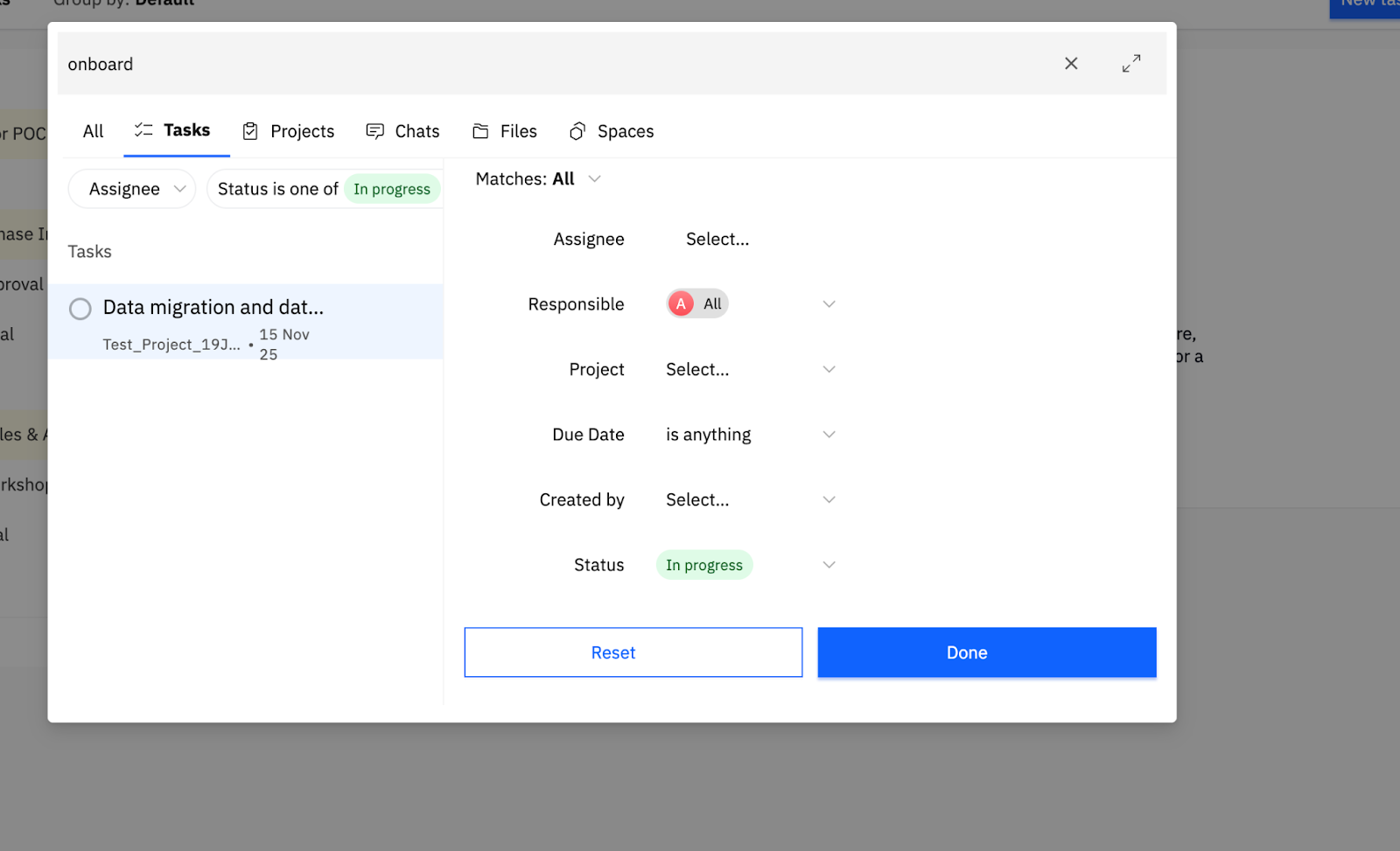
- Task status or assignee
- Project phase
- File type
- Date ranges
- Custom tags or labels
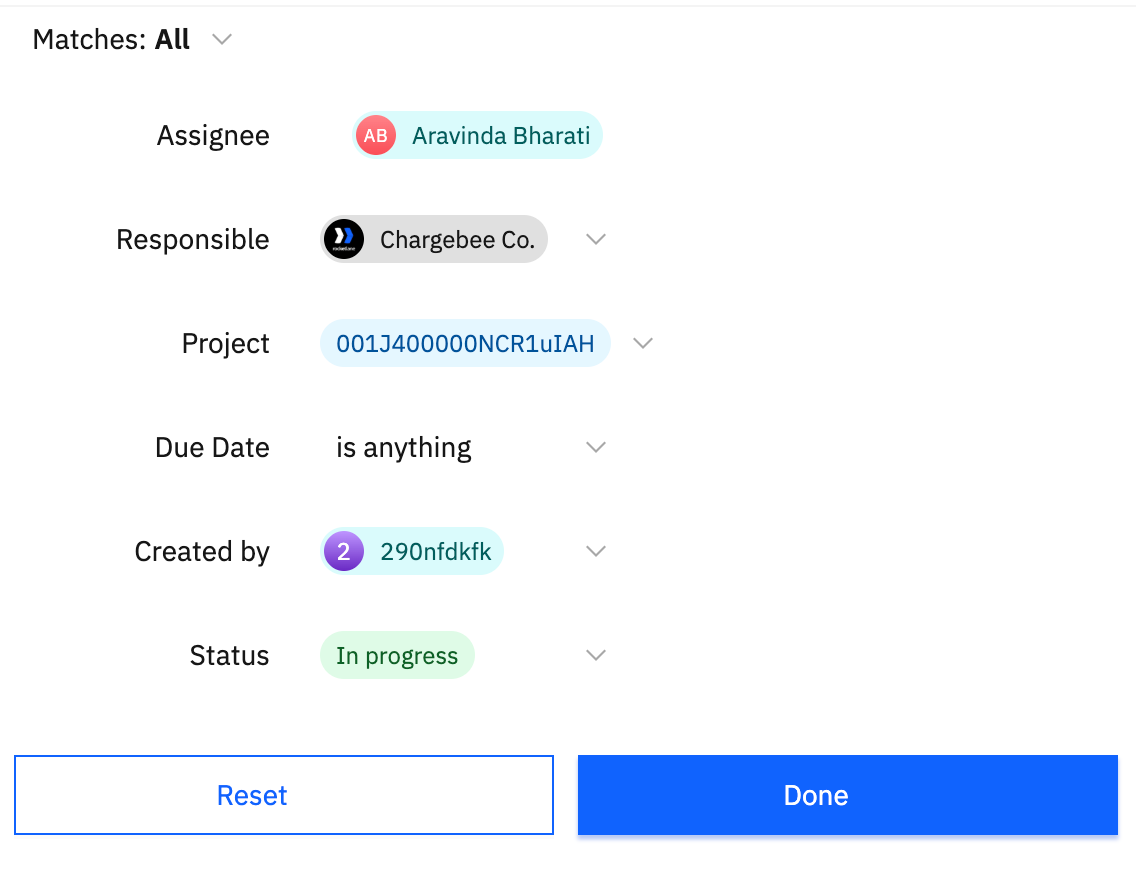
You can also apply custom filters to further narrow your results.
Previewing and Interacting with Search Results
Once your search results appear:
- Press
Tabon a selected item to preview it within the same window. This helps you see context before jumping in. - Hover over any result to see action buttons:
- Open: Opens the item in the current tab.
- Open in New Tab: Useful when you want to keep your current view intact.
- Copy Link: Instantly copy the item’s link for sharing or reference.